

The TV asks you to confirm on your phone
Updated 19 November 2026 · Applies to: VPNOnline Android TV / Google TV
For some security actions the TV shows a code to approve on your phone instead of asking for your password.
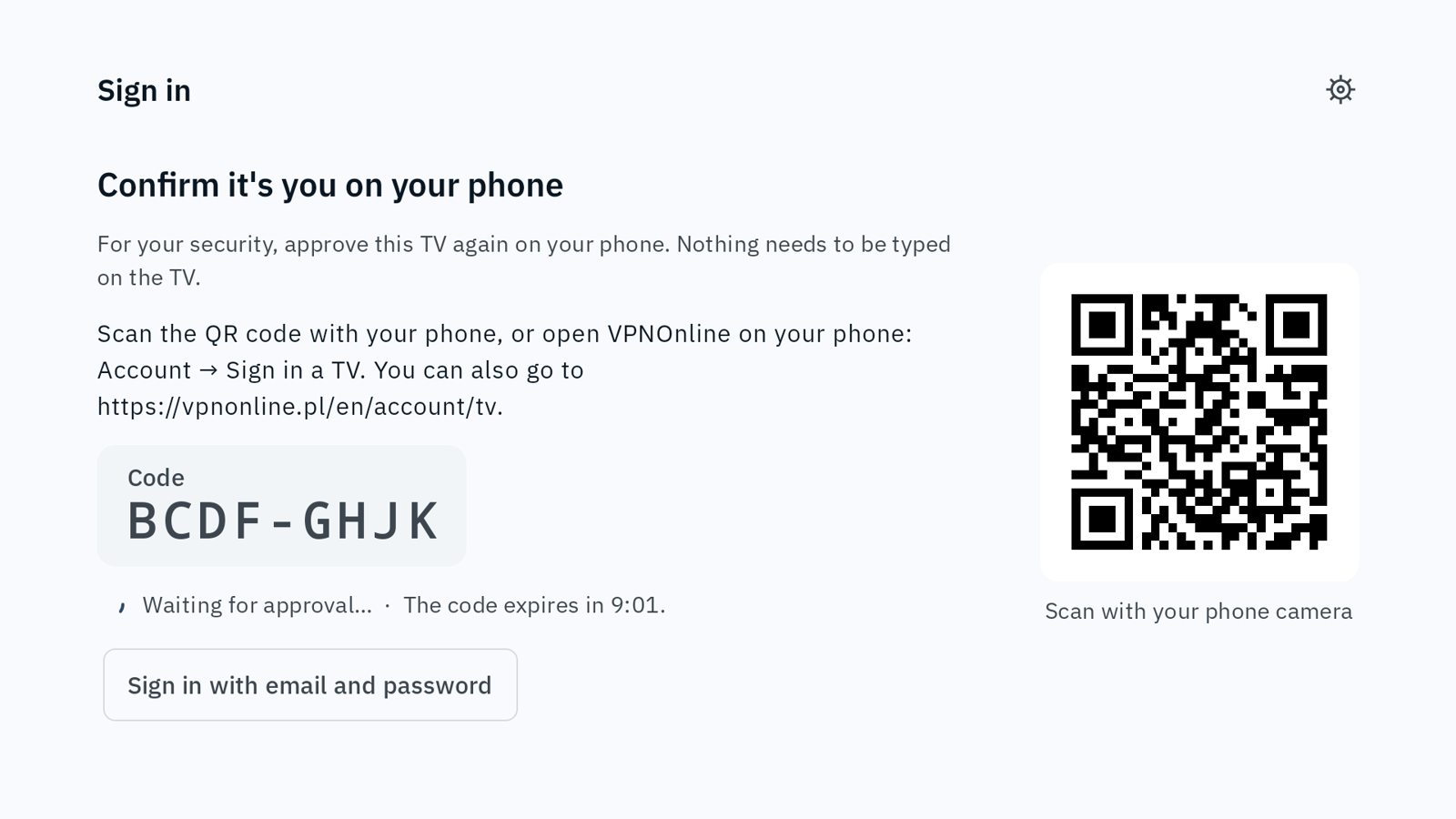
Some actions, for example renaming the device, need a recent identity confirmation. The TV then shows Confirm it's you on your phone with a code and a QR code.
Step 1: Approve on your phone
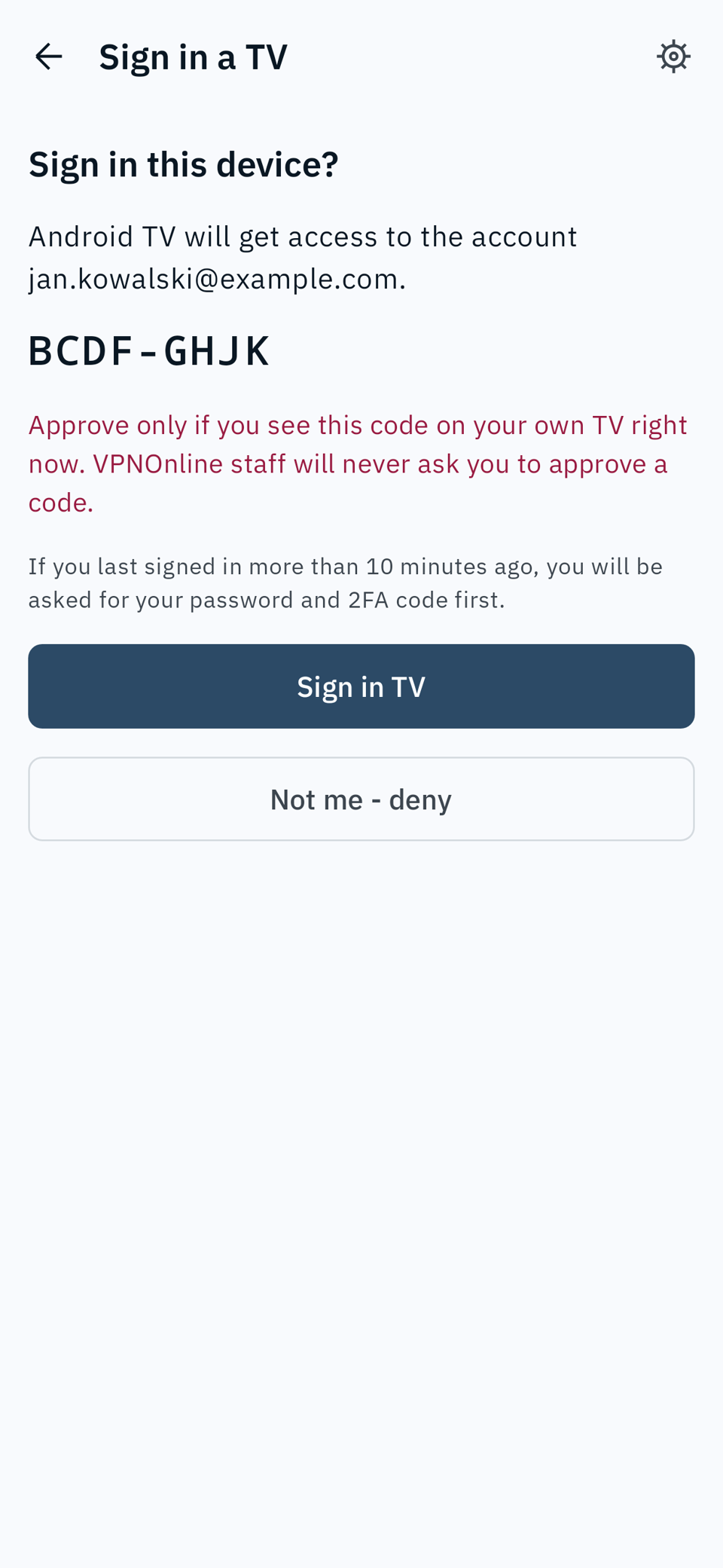
Scan the QR code, or in the phone app choose Account → Sign in a TV and enter the code. The phone may ask for your password and 2FA code.
Step 2: Back to the TV
The TV notices the approval and returns to what you were doing. You do not type anything on the TV.
Did this help?
We only store the answer, nothing about you.
Still not working?
Write to us. We will include this article's name, so we know what you already checked.